Book data, cover, and writing rules
What you can still edit after creating a book – book data, cover, writing rules, and the tabs that aren't available yet.
A project's book data page (/book/[bookId]/book-data) shows the
basic data, the cover, and the rules that flow into every AI response
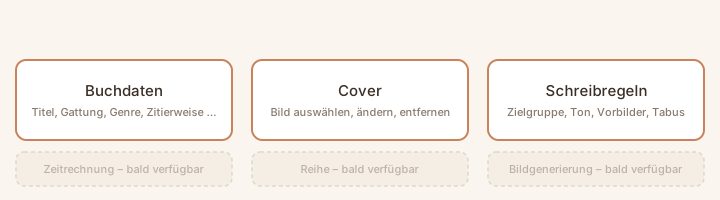
in your project. It's split into six tabs – three of them are usable
today, three more are marked "coming soon":
Book data
Title, subtitle, and author stay editable at any time. Category, genre, and the book language, on the other hand, are fixed when you create the book and can't be changed afterwards – only the free-text genre hint stays adjustable. This is also where you maintain the citation style (the template for in-text references and the source list in exports) and the back cover text.
Cover
In the Cover tab you pick an image from your media manager as the book cover, change it, or remove it again – see Manage media for how an image gets into your media manager in the first place.
Writing rules
Here you maintain the content guardrails for the AI co-author: target audience, central themes or guiding question, narrative perspective and tense, style and tone, inspirations, and taboos. All fields are optional – the more concretely they're filled in, the more precisely the AI can follow them.
Not available yet
The Timeline, Series, and Image Generation tabs are already visible but not yet functional – they currently only show placeholder text.